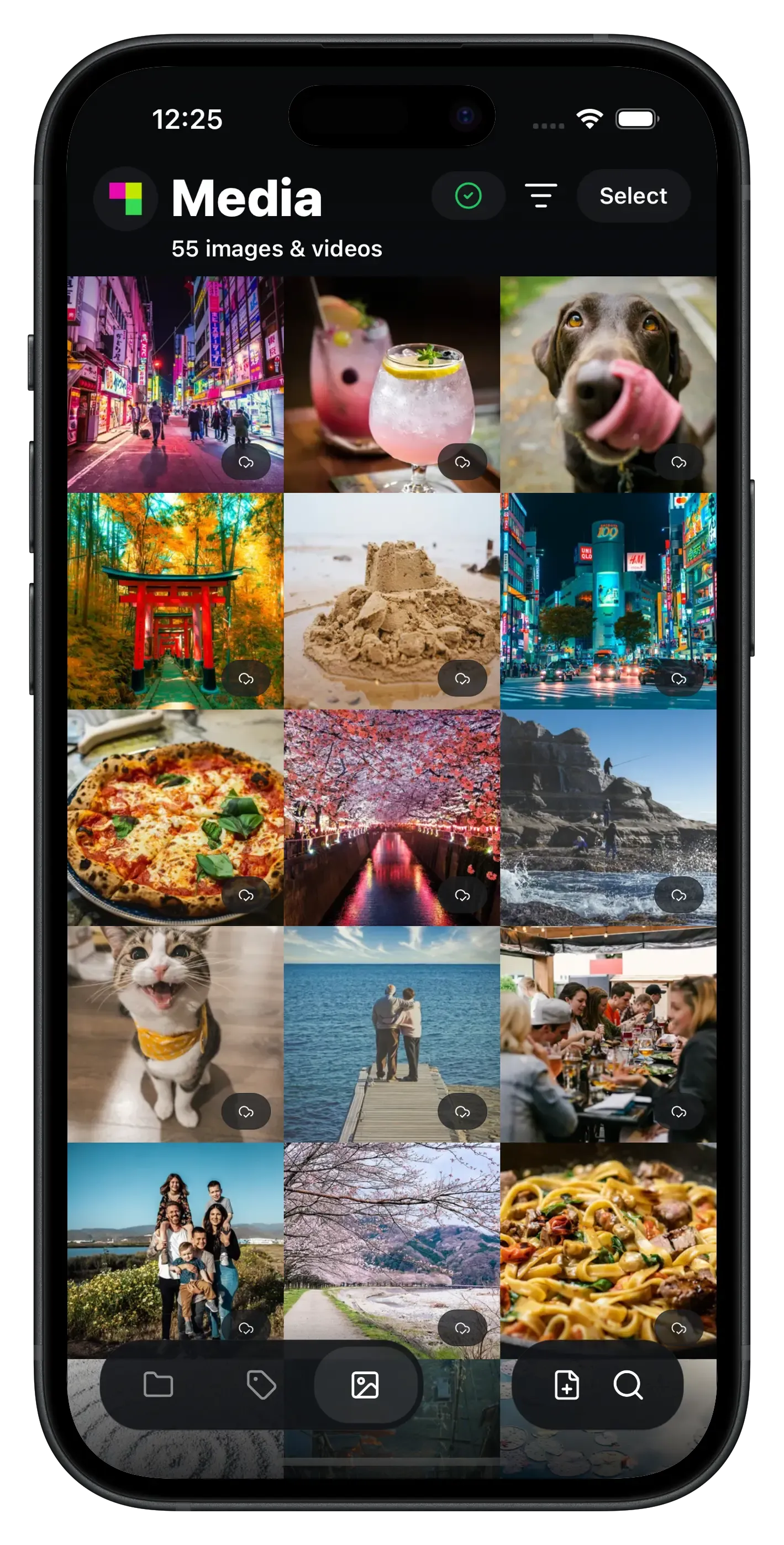
Store your data.
Private, encrypted storage on the Sia network. Build it into your apps, or download the Sia Storage App.
Build fully private apps.
The Sia Storage SDK encrypts data before it leaves the user’s device. Your service never sees their data, and neither do we. It is available for JavaScript, Rust, Go, Python and Dart.
Read the quickstart(opens in a new tab)Install the SDK
npm install @siafoundation/sia-storageConnect to an indexer
Your app requests a connection from an indexer, and the user approves it on the indexer’s page. The SDK then derives an app key from the user’s recovery phrase. Save the key so the app can reconnect without asking again.
Connect to the hosted indexer at sia.storage, or run your own. See below.
Upload and pin an object
import { PinnedObject } from '@siafoundation/sia-storage'const source = new Blob(['Hello, Sia!']).stream()const object = await sdk.upload(new PinnedObject(), source)await sdk.pinObject(object)These excerpts assume a connected SDK. Pinning records the object with the indexer so it can be listed and read later.
More ways to run it
Need S3? Use S3d.
S3d is our S3-compatible gateway. Skip the SDK and point rclone, Cyberduck or any S3 client at Sia Storage. It supports AWS Signature V4, path-style and virtual-hosted buckets and multipart uploads, and packs small objects together before upload.
- S3 API
- rclone
- Nextcloud
- Duplicati
- + any S3 client
Run your own indexer
Sia Storage is built on indexd, an open-source indexer built by the Sia Foundation. The indexer keeps track of your objects and storage contracts, and never sees your data. The SDK connects to any indexer, including one you host yourself.
Just here to store your files?
Get the Sia Storage App, private and encrypted storage in your pocket. Sign up, install and upload. No blockchain to sync, no Siacoin to buy, no contracts to manage.